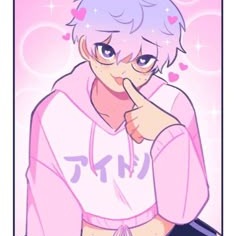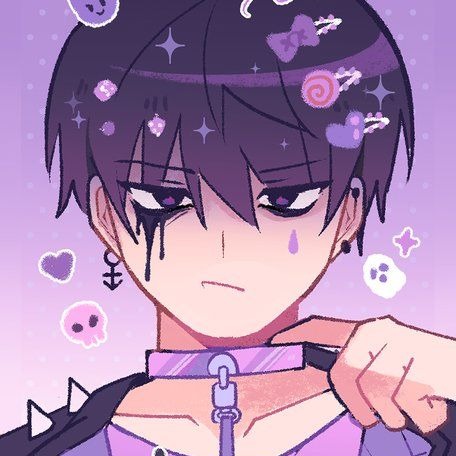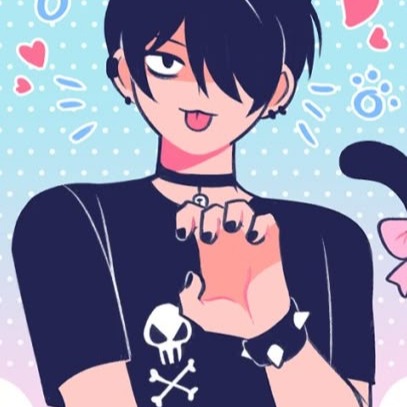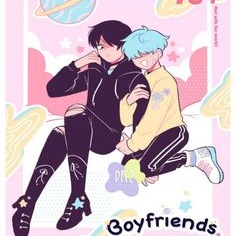
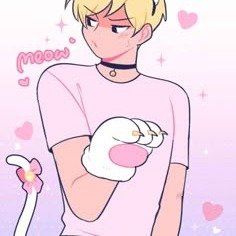
Boyfriends Webtoon Profile Picture

Boyfriends Webtoon updated profile icon

Comments

More Boyfriends Webtoon Pfps

Boyfriends Webtoon Pfp Pfp
Boyfriends Webtoon Pfp 410 png
Boyfriends Webtoon Profile Icon Pfp
Boyfriends Webtoon Profile Icon 66 png

Frequently asked questions

How to use the Boyfriends Webtoon Profile Picture on Discord

Want to use the "Boyfriends Webtoon" profile picture on Discord ? Follow these simple steps:

  1. Open Discord and click the Settings gear next to your name
  2. Navigate to the User Profile tab
  3. Click Change Avatar
  4. Upload the image you downloaded from Pfps.gg
  5. Click Apply to save your new avatar

Thats it! Your new profile picture, Boyfriends Webtoon , is now active on Discord.

How to use the Boyfriends Webtoon Profile Picture on Instagram

Want to use the "Boyfriends Webtoon" PFP on Instagram ? Heres how to do it:

  1. Download the image from Pfps.gg to your phone or computer
  2. Open the Instagram app or visit instagram.com
  3. Go to your profile and tap Edit Profile
  4. Select Change Profile Photo
  5. Choose New Profile Photo and upload the downloaded image
  6. Adjust and crop if necessary, then tap Done

Thats it! You have successfully set Boyfriends Webtoon as your Instagram profile picture.

How to use the Boyfriends Webtoon Profile Picture on TikTok

To use the "Boyfriends Webtoon" profile picture on TikTok, follow these simple steps:

  1. Download the image from Pfps.gg to your phone or computer
  2. Open the TikTok app
  3. Go to your profile by tapping the Profile icon
  4. Tap Edit Profile
  5. Select Change Photo
  6. Upload the image and adjust the crop if needed
  7. Tap Save

Your TikTok profile now features the Boyfriends Webtoon image.

How to use the Boyfriends Webtoon Profile Picture on Twitter

To use the "Boyfriends Webtoon" profile picture on Twitter, follow these steps:

  1. Download the image from Pfps.gg
  2. Open the Twitter app or website
  3. Go to your profile and click Edit Profile
  4. Click your profile picture to upload a new one
  5. Select the downloaded image and adjust the crop
  6. Save your changes

Done! Your Twitter profile now has the Boyfriends Webtoon PFP applied.

How to use the Boyfriends Webtoon Profile Picture on Steam

To use the "Boyfriends Webtoon" profile picture on Steam, follow these steps:

  1. Download the image from Pfps.gg
  2. Open the Steam app or website
  3. Click your username and select View Profile
  4. Click Edit Profile
  5. Select Avatar from the sidebar
  6. Upload your downloaded image
  7. Save your changes

Your Steam profile is now using the Boyfriends Webtoon profile picture.

How to use the Boyfriends Webtoon Profile Picture on Facebook

To use the "Boyfriends Webtoon" profile picture on Facebook:

  1. Download the image from Pfps.gg
  2. Open Facebook and go to your profile
  3. Click your current profile picture
  4. Select Update Profile Picture
  5. Upload the downloaded image
  6. Save your changes

Your Facebook profile picture has now been updated.

How to use the Boyfriends Webtoon Profile Picture on Reddit

Want to use "Boyfriends Webtoon" as your Reddit avatar?

  1. Download the image from Pfps.gg
  2. Open Reddit and log into your account
  3. Click your avatar and go to User Settings
  4. Select the Profile tab
  5. Upload your new profile picture
  6. Save your changes

Your Reddit account is now using your new PFP.